
Data Output and Reports
Last Updated: 2026-10-09 | For: Teachers, content owners, experimenters, and researchers | Level: Advanced
Audience: teachers use this for class and lesson exports; experimenters/researchers use it for per-trial study records. Students should not use this page.
Overview
The current data export is a tab-separated values download (.tsv), not a CSV workflow.
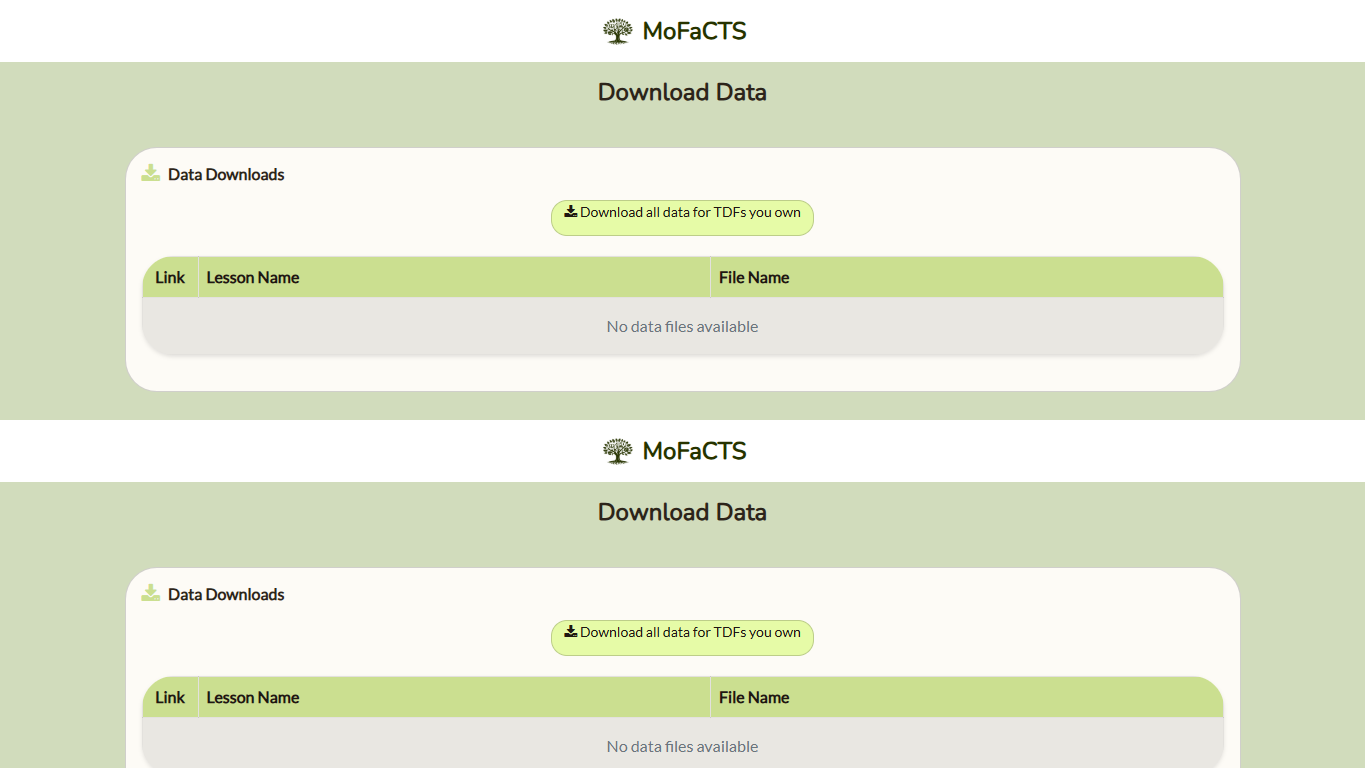
Where to download:
- Main menu -> Data Download
- admin UI reference: Admin Reference
What the current code actually does:
Download your history across all TDFscreates a one-time download URL and streams the current learner's history as TSV instead of returning the full file through a Meteor method.- Both personal-history and owned-lesson downloads use links that expire after five minutes and can be used once. Request a new download if the link expires or has already been used; do not share it.
- Only TDFs you own are listed in the Data Download page.
Download all data for TDFs you ownexports history for every TDF whoseownerIdis your user id.- Owned-lesson exports stream through HTTP after bounded preparation and sorting. They do not return the complete TSV through a Meteor method. Current ownership and the exact lesson scope are checked again before the download starts.
- Per-row downloads are also owner-only. Shared accessors and public visibility do not grant export permission in this flow.
- Class-based export is not available in this flow.
- Owned-TDF export rows are sorted by student, then by client
Time, then byrecordedServerTime, then byeventId. - The streamed current-learner own-history export is ordered by
recordedServerTime, then clienttime, theneventId. - Cancelling a personal-history download stops pending response writes and closes its history cursor. A consumed download link remains single-use; request a new download to try again.
- Export text is whitespace-normalized and trimmed to DataShop-style length limits before writing the TSV.
Current Download Behavior
The page shows owned TDFs. Standard row downloads address the selected TDF by its canonical ID. For a condition root, the sitemap action requests its family by root ID and requires the canonical condition members to retain the same owner and filename/ID alignment. An invalid family fails explicitly rather than returning a partial family export. Filenames are display labels, not export identities. If the authorized scope changes during preparation, request a new download.
A course can assign a root lesson that resolves to a condition-specific child lesson. History retains the lesson actually delivered and the course assignment context. These identities can differ without indicating a logging error. Authorization validates the assigned root and its resolved child relationship; it does not permit unrelated lessons to write under an assignment. When interpreting a condition study, retain both the assigned root and delivered condition identity.
Download all data for TDFs you own and Download your history across all TDFs retain their distinct owner and current-learner scopes. A shared lesson or public visibility does not grant permission to export other learners' data.
Export Format
- Files download as
.tsv. - The header row is generated from
outputFieldsin code. - The exported header repeats the generic labels
Condition NameandCondition Typefour times. Internally these map to A-D condition slots. - The ordinary field order is fixed. Authorized downloads also append the three Prolific identity columns described below; these are not dynamic
CF (...)fields.
Columns Actually Exported
Identity and condition columns
| Header in TSV | Current behavior |
|---|---|
Anon Student Id |
Username from the logged-in learner record. |
Session Id |
Not a simple integer. Svelte trial/video rows use a string built from trial start time plus current TDF name; instruction rows use the Meteor connection session id. |
Condition Name (1st pair) |
Fixed label tdf file. |
Condition Type (1st pair) |
Current TDF name. |
Condition Name (2nd pair) |
Fixed label xcondition. |
Condition Type (2nd pair) |
experimentXCond or blank/null. |
Condition Name (3rd pair) |
Fixed label schedule condition. |
Condition Type (3rd pair) |
Parsed schedule condition for schedule units; N/A for video control rows; blank when unavailable. |
Condition Name (4th pair) |
Fixed label how answered. |
Condition Type (4th pair) |
Input source such as keyboard, button, timeout, SR, simulation, or video action names like play, pause, seek. |
Unit, response, and feedback columns
| Header in TSV | Current behavior |
|---|---|
Level (Unit) |
Current unit number. |
Level (Unitname) |
Current unit unitname. |
Level (Unittype) |
Current unit type such as schedule, model, video, sparc, autotutor, or Instruction. |
Problem Name |
JSON-stringified value of the original display value used for the prompt. |
Step Name |
Same value as Problem Name in the current Svelte history logger. |
Time |
Response-onset / transaction timestamp, in client-clock Unix milliseconds. On card attempts, the first recorded input timestamp is used; when no input was recorded, submission/timeout time is substituted. A timeout after typing retains the earlier first-input timestamp. Study rows use exposure start; video rows use control-action time; instruction rows use continue time. This is not generally the trial-start timestamp. |
Problem Start Time |
Trial-reveal timestamp, in client-clock Unix milliseconds. Card rows use the clock reading associated with starting the visible reveal/fade-in; this does not certify completed browser paint, completed audio, or input availability. Instruction rows use instruction render time. Video rows use the video-session start timestamp when available. See the reconstruction rules below for older records. |
Selection |
answer for normal text/SR answer rows, multiple choice for button rows, video for video control rows, and instruction for instruction rows. |
Action |
respond for answer/timeout rows, study for study rows, the video control action for video rows, and continue for instruction rows. |
Input |
Learner answer for normal trials; video rows store the action name here too. |
Outcome |
Exported as STUDY, CORRECT, or INCORRECT for standard trial rows. Video and instruction rows leave outcome blank. |
Student Response Type |
HINT_REQUEST for study rows, ATTEMPT otherwise, N/A for video control rows. |
Student Response Subtype |
Simplified prompt-type code built from the display: combinations of T, I, A, C, V, or NA. |
Tutor Response Type |
HINT_MSG for study rows, RESULT otherwise, N/A for video control rows. |
Tutor Response Subtype |
Always blank in the current export mapper. |
Feedback Classification |
Stored feedbackType history metadata for standard rows when present; blank for video and instruction rows. |
Feedback Text |
Built from the Svelte feedback-text builder for normal trials; for video rows it is the current #UserInteraction text content. |
KC (Default) |
Stored default KC for the current stimulus when present. |
KC Category(Default) |
Always blank. |
KC (Cluster) |
Cluster KC from the current stimulus cluster, or N/A for video control rows. |
KC Category(Cluster) |
Always blank. |
History Schema Version |
Stored canonical history schema version; current canonical rows use 1. Older records can be blank. |
Event Type |
Stored eventType, including the event distinctions used by SPARC and worksheet lifecycle records. Interpret it with unit type and response fields rather than treating every exported row as an answer. |
Older stored trial rows did not have separate Problem Start Time, Selection, or Action fields. The export mapper derives those where possible: Problem Start Time falls back to the old stored time, Time is inferred as Problem Start Time + CF (Start Latency) when that latency is available, button rows infer Selection = multiple choice from CF (Button Order), study rows infer Action = study, and instruction/video rows infer their row descriptors from their stored unit/video fields.
Custom-field columns
| Header in TSV | Current behavior |
|---|---|
CF (Audio Input Enabled) |
true only when the learner has audio input enabled and the TDF has audioInputEnabled === 'true'. |
CF (Audio Output Enabled) |
true when the effective generated spoken-audio mode is not silent. |
CF (Display Order) |
Current displayed question order. |
CF (Stim File Index) |
Original cluster index, or schedule item cluster index for schedule units. |
CF (Set Shuffled Index) |
Shuffled schedule/item index currently in play. |
CF (Alternate Display Index) |
Alternate display index when used; otherwise blank/null. |
CF (Stimulus Version) |
whichStim from the current card info. |
CF (Probability Estimate) |
Stored model probability estimate at item selection, when available; blank for rows without an estimate. |
CF (Correct Answer) |
First answer token before any ~ split. |
CF (Overlearning) |
Always false in the current export mapper. |
CF (Response Duration) |
Input-to-submission duration, in milliseconds: submission/timeout timestamp minus first recorded input timestamp. For typed answers this measures the typing interval, including pauses. No-input attempts substitute submission/timeout for first input and therefore produce zero. It does not include feedback. |
CF (Start Latency) |
Reveal-to-first-input latency, in milliseconds. For no-input attempts, submission/timeout time is substituted, so this becomes reveal-to-submission/timeout latency. Study rows use -1; video control rows leave it blank/null. |
CF (End Latency) |
Reveal-to-submission/timeout latency, in milliseconds, before trial-type adjustments. Includes the start latency and typing interval; excludes feedback. The current logger exports 0 for internal t/h trials and -1 for study trials; these are special values, not measured zero/negative durations. Video control rows leave it blank/null. |
CF (Feedback Latency) |
Feedback/review timing for standard rows. It starts at feedback/study fade-in start and ends at the pre-fade finalization cutoff used for the export row. It intentionally does not wait for fade-out end, because history/model finalization must complete before fade-out so the next trial can commit immediately with no blank transition gap. For test rows it is -1; blank/null for video control rows. |
CF (Review Entry) |
Review-entry marker/value passed from the card flow. |
CF (Button Order) |
Comma-separated buttonValue order for button trials. |
CF (Item Removed) |
true if the learner reported the item for removal. |
CF (Note) |
Stored CFNote when present, including dedicated AutoTutor history payloads; blank when absent. Whitespace normalization and export length limits apply. SPARC dialogue state is retained separately in its canonical history payload, so this column is not a complete SPARC transcript export. |
CF (Entry Point) |
Learner login entry point. |
CF (Video TimeStamp) |
Current player time for video control rows. Blank for normal card rows. |
CF (Video Seek Start) |
Prior seek start time for video seek rows. |
CF (Video Seek End) |
Seek destination time for video seek rows. |
CF (Video Current Speed) |
Current playback speed for video control rows. |
CF (Video Current Volume) |
Current playback volume for video control rows. |
CF (Video Previous Speed) |
Previous playback speed for video control rows. |
CF (Video Previous Volume) |
Previous playback volume for video control rows. |
CF (Video Is Playing) |
Player playing state for video control rows. |
Interpreting Trial Timing
The descriptive names above explain the existing TSV headers; they do not rename the downloaded columns. Absolute timestamps and elapsed durations are different quantities, although both use milliseconds. The following formulas concern card attempts with ordinary measured latency values. Do not apply them to instruction/video events, study rows, or trial-type sentinel values.
Event origins and calculated fields
| Internal event time | Origin |
|---|---|
| Trial reveal | The UI sends TRIAL_REVEAL_STARTED with a client Date.now() reading. The state machine stores the first accepted reveal time as trialStart. |
| Input enabled | The state machine records inputEnabled when it enters the input-accepting state. This is distinct from reveal and is not a separate column in this TSV. |
| First input | The first input/activity event supplies its timestamp, or the action reads the client clock. Click-only submission can supply the first-input timestamp. |
| Submission / timeout | Submission uses the submit event timestamp, or the client clock if absent. Timeout handling reads the client clock when the timeout is handled. The logger has a late trial-end substitution if the expected end timestamp is missing; exports alone do not identify every use of that substitution. |
| Feedback start | The feedback-reveal event supplies its timestamp, or the action reads the client clock. |
| Feedback end | Recorded when the state machine enters history finalization, using the event timestamp when supplied or the client clock. This is the logging cutoff, not necessarily the end of the visible fade-out. |
For ordinary measured card attempts:
Time = Problem Start Time + CF (Start Latency)
submission/timeout timestamp = Problem Start Time + CF (End Latency)
typing interval = CF (End Latency) - CF (Start Latency)
CF (Feedback Latency) = feedback-end timestamp - feedback-start timestamp
On a no-input timeout, the first-input timestamp is unavailable. The calculation substitutes the timeout timestamp, making start latency equal end latency and response duration zero. This does not mean a key was pressed at timeout. Equality alone does not establish a timeout: click-only responses and immediate submissions can also have equal start/end latencies. Check the fourth Condition Type (how answered), Input, and Outcome; an incorrect answer alone is insufficient.
Internal trial type and unit name are different. A unit called Posttest can use drill-style trials and retain measured end/feedback latencies. Do not infer the t-trial sentinel rules from the unit's name. Study-only rows are passive exposures and must be excluded from typing-time analyses. Check the collection build before interpreting older exports.
Export reconstruction
The exporter applies these rules before writing the columns:
- If stored
problemStartTimeexists, export it asProblem Start Timeand export storedtimeasTime. - Otherwise, export stored
timeasProblem Start Time. For a non-study row with a valid nonnegative start latency, construct exportedTimeby adding that latency; study rows retain the exposure timestamp. - This older-record reconstruction assumes the original stored
timewas trial onset. An exact arithmetic identity in the TSV does not independently verify that assumption or browser display timing. - The exporter writes headers and values using the same ordered field list. The download's UTF-16 encoding does not change timestamp values.
Trial duration and consecutive rows
CF (End Latency) + CF (Feedback Latency) combines reveal-to-submission time and the recorded feedback interval. It excludes any gap between submission and feedback start, and any presentation time after the feedback logging cutoff. It is therefore not automatically the complete reveal-to-next-reveal interval.
For directly consecutive trials from the same participant and run, compare their Problem Start Time values when measuring reveal-to-reveal duration. Subtracting the current end and feedback latencies leaves the unmeasured submission-to-feedback gap plus the remaining transition/intertrial time. Do not bridge session boundaries, omitted study trials, or other intervening events.
Consecutive Time values usually compare first inputs, not trial reveals. Consequently:
raw remainder = next Time - current Time - current end latency - current feedback latency
reveal-based remainder = raw remainder + current start latency - next start latency
The raw remainder can be negative because the two first-input latencies differ. Treat negative reveal-based remainders as a separate issue requiring investigation of event ordering, field validity, clock behavior, and the collection/export builds. Do not label either remainder as pure intertrial time without accounting for the omitted phases.
Timer Behavior Depends on the Collection Build
The configured drill timeout and the exported reveal-to-timeout latency can start at different events. Preserve the collection build and TDF settings with an analysis.
| Runtime examined | Response-countdown origin | Interpretation |
|---|---|---|
| Current source contract documented in Runtime Timer Contract | Trial reveal, or the latest activity reset | Prompt audio and configured audio delay consume the response window. Active speech playback can defer timeout handling until playback finishes. |
Older deployed cardMachine build inspected on 2026-09-28; image digest sha256:fe6382e15572bb0cc3181f9b6518eb02c8f4e4707fdb9b7092478e8d49225255 |
Entry into the awaiting-input state after the question-audio gate completes | Exported latency starts at reveal and includes preparation/audio before the full response countdown. A roughly four-second audio file followed by a ten-second countdown can produce a 14-15-second no-input timeout. |
In the inspected older build, questionAudioGateService waits for prerecorded audio playback to finish before advancing to the state that invokes mainCardTimeout. This is a version-specific explanation, not a universal four-second adjustment to subtract from the data. Audio duration, readiness delays, transitions, input-triggered resets, and browser scheduling can vary. The standard TSV does not separately export all those phase boundaries. Current documentation must not be used to retroactively assign newer timer behavior to older records.
Important Current Quirks
- The page historically described
Condition Namea/Typeastyle headers, but the actual TSV header row collapses those to repeatedCondition Name/Condition Typelabels. - The current export stores section/entry-point information internally as a fifth condition pair, but
Condition Namee/Condition Typeeare not included in the exported TSV. - The current export includes
Level (Unittype)andFeedback Classification, which older docs often omitted. - Stored standard-trial outcomes may remain lower-case for internal app compatibility, but the TSV export normalizes them to DataShop-style uppercase values.
CF (Response Time)is no longer exported because it was an absolute submit timestamp with a misleading custom-field name. UseTime,Problem Start Time, and the latency/duration fields instead.
Fields Documented Elsewhere But Not In The Current TSV
The following items are not part of the current TSV export and should not be treated as current Data Download columns:
CF (GUI Source)CF (Correct Answer Syllables)CF (Correct Answer Syllables Count)CF (Display Syllable Indices)- Separate
CF (Review Latency)column CF_Self_Paced_PretrialCF_Self_Paced_Posttrial
Implementation references
Current behavior documented above comes from these code paths:
- Download UI:
mofacts/client/views/experimentReporting/dataDownload.html - Download UI logic:
mofacts/client/views/experimentReporting/dataDownload.ts - Download methods:
mofacts/server/methods/analyticsDownloadMethods.tsandanalyticsMethods.ts - Export builder:
mofacts/server/lib/historyExport.ts - Export field list:
mofacts/common/Definitions.ts - Export field mapping:
mofacts/server/orm.ts - Svelte trial history rows:
mofacts/client/views/experiment/svelte/services/historyLogging.ts - Video control history rows:
mofacts/client/views/experiment/svelte/components/VideoSessionMode.svelte
Operational history and assessment copies
Operational exports retain saved answers and non-answer events. Historical rows combining levelUnitType: "model" with modelEvidenceSource: "assessment" are redundant assessment copies and are excluded from ordinary TSV exports, analytics and model hydration. Original schedule assessment answers remain usable model evidence without making assessment delivery adaptive. Raw backups retain the historical records. Release operators must complete the assessment-history audit and cutover checks; this wiki review did not run a database audit or rewrite history.
Prolific participation identity
Authorized history downloads append Prolific Participant ID, Prolific Study ID, and Prolific Submission ID. Values are joined from the private participation record in bounded batches; ordinary experiment participants have empty cells. Existing columns and stored learner histories are preserved. The initial paid submission completes at the first saved session; subsequent MoFaCTS sessions and researcher-entered bonuses remain associated with that submission. See Admin Reference.